Water simulation based on PF-FLIP method
Sergei Almazov10 min read
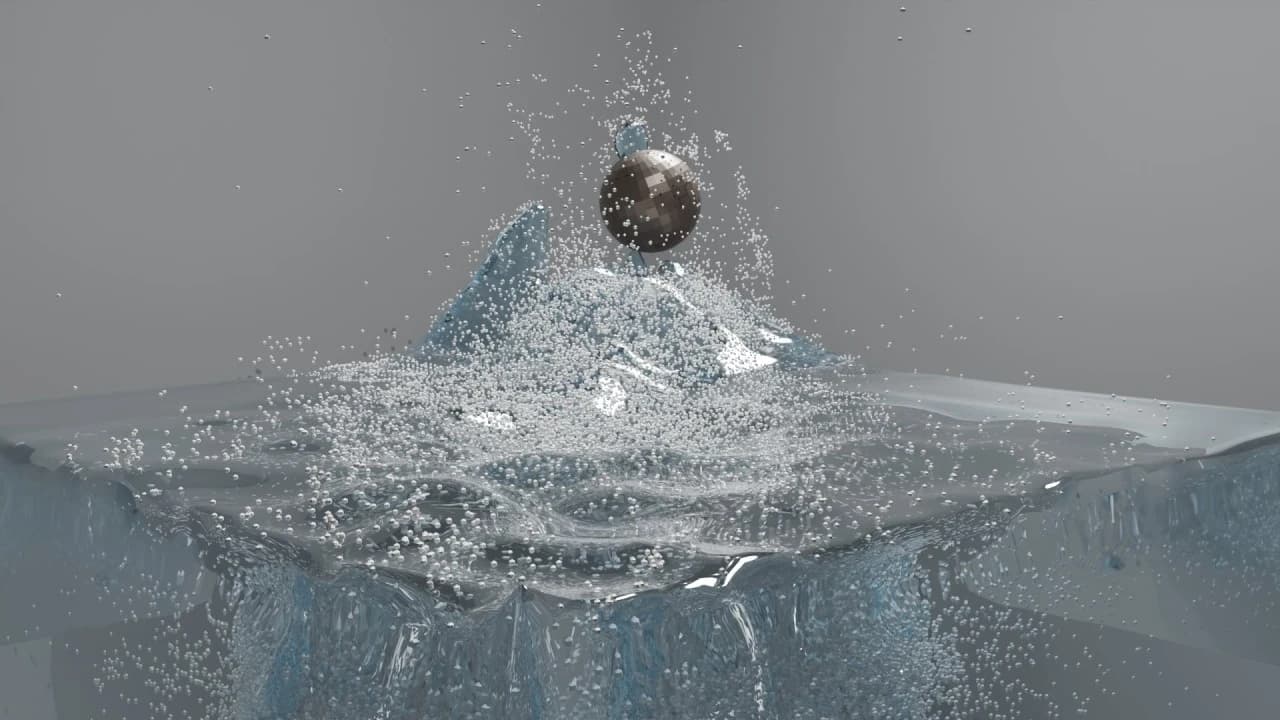
Hello,
Today I want to share the progress of a water simulation project I started in November 2025. I was impressed by SIGGRAPH 2025 paper made by Thuerey Group based in Munich, Germany.
The personal reason for starting it was simple: I was on Tenerife, watching the ocean, and I was amazed by how much power and detail there is in real water. Waves are more than just smooth surfaces. They carry foam, trapped air, spray, mist, and violent small-scale motion. I wanted to understand how close I could get to that behavior by implementing a modern research paper myself.
What started as a pure experiment led me to the porting of existing MSBG structure for sparse arrays to support my endeavor. I wrote an article about this before I started the main simulation exploration.
Why PF-FLIP is interesting
Many fluid simulations focus mainly on the liquid. Air is often treated as empty space around the water. That is fine for simple shots, but it becomes limiting for large-scale scenes: dam breaks, ocean waves, meteor impacts, or a spaceship entering and leaving water. In those cases, air matters.
It affects how splash rims rise, how droplets slow down, how bubbles are trapped, and how whitewater forms. PF-FLIP is interesting because it treats the simulation as a two-phase problem: water and air are both represented in the solver.
The paper uses a phase field derived from particle mass density to distinguish water from air. That phase field then controls a variable-coefficient pressure solve, so the simulator can handle the large density difference between water and air.
In short: it is not just a water surface. It is a coupled water-air simulation.
macOS as a Base Platform for the Experiment
Most of the development happened on a MacBook Pro with an M4 Pro chip. That turned out to be a very good base platform for this kind of experiment. I have this as a home laptop.
The first reason is unified memory. Fluid simulation moves a lot of data: particles, sparse grid blocks, velocity fields, pressure residuals, surface meshes, whitewater caches, and Blender render data. On Apple Silicon, the CPU and GPU share the same memory pool, which makes it easier to experiment with Metal compute and large scene data without constantly thinking about separate CPU RAM and GPU VRAM copies. It is not magic, and memory bandwidth still matters. But for prototyping a solver, profiling sparse data structures, and moving between C++, Python, Blender, and Metal, unified memory made the development loop smoother.
The second reason is NEON SIMD. Many parts of the solver are still better suited for the CPU, especially sparse MSBG operations with irregular block activation. For those paths, I added ARM NEON vectorization for small dense operations inside sparse blocks: pressure solver kernels, vector updates, and particle-grid work where the memory layout allows it.
The M4 Pro became a practical middle ground: enough CPU performance for sparse algorithms, enough GPU capability for Metal experiments, and enough shared memory to keep Blender, caches, and simulation data in one workflow. I still care about CUDA and high-end NVIDIA GPUs, but macOS was the place where the full end-to-end tool could be developed quickly.
What I built
The project grew into a full simulation stack:
- A C++ simulation core implementing the PF-FLIP loop
- A sparse MSBG grid structure based on the paper
- A two-phase pressure solver with sparse multigrid preconditioning
- Particle-grid transfers, phase-field construction, escaped particle handling, spray, foam, bubbles, and surface reconstruction
- Metal and CUDA experiments for GPU acceleration. I have GPU optimisations for NVidia Blackwell GPUs and for Metal 4
- Python bindings through pybind11
- A Blender add-on for artists (not yet published)
- C++ and Python tests for the solver, bindings, Blender workflow, and validation scenarios
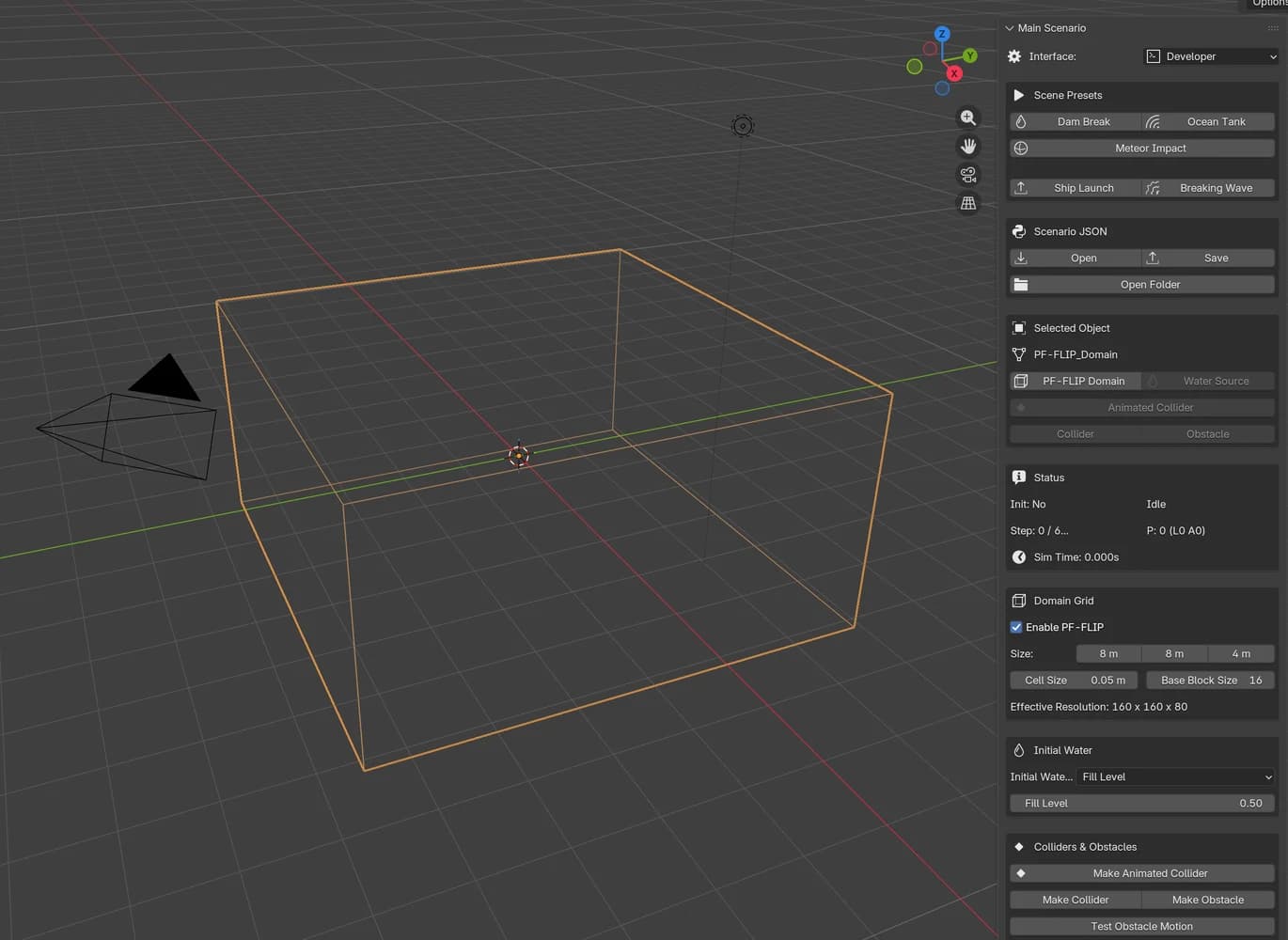
The Blender add-on is important to me because the final goal is not only to have a solver that runs from a terminal. I want artists to be able to create scenes like dam breaks, breaking waves, meteor impacts, or large objects interacting with water.
That means the add-on needs scene presets, animated colliders, cache playback, whitewater display, renderable meshes, and controls that make sense to someone who is not reading C++ code.
The Hardest Parts
The Pressure Solver
The pressure solve is the heart of the simulator. With water and air together, the density ratio is very large. That makes the pressure system difficult to solve robustly, especially on a sparse grid. A solver can appear to work on small scenes and then collapse on larger domains or more violent motion. Getting this stable required a lot of debugging: convergence logs, residual checks, sparse active block coverage, multigrid tuning, and many small tests.
Sparse Grids Everywhere
MSBG is powerful because it avoids dense-grid memory cost, but it also forces discipline. Every operation has to understand sparse blocks: particle-to-grid transfer, grid-to-particle transfer, pressure solve, velocity extrapolation, surface reconstruction, and cache export. There should not be a hidden dense-grid fallback in the core runtime. If the project is about sparse large-scale simulation, the implementation has to respect that all the way through.
Blender Integration
Blender integration is its own engineering project. It is not enough to expose a Python binding. The add-on needs to handle Blender's Python ABI, UI panels, background baking, animated mesh colliders, cache paths, render objects, timeline playback, and error messages that are useful to artists. I learned that an artist-facing tool is a different kind of problem from a research implementation. The solver can be correct, but if the workflow is unpredictable, the tool is not ready.
Making Water Look Like Water
This is the part that keeps humbling me. A simulation can be mathematically reasonable and still look wrong. Water needs good surface reconstruction, correct transparency, convincing whitewater, proper scale, good lighting, and a camera angle that sells the motion. Recently I have been tuning whitewater so it reads less like evenly sprinkled particles and more like force-directed spray: arcs, sheets, clumps, and wake streaks created by violent motion.
Demos
Demo #1: Dam Break
This was one of the first useful scenarios. The dam break is a good test because it immediately reveals whether the solver is stable. The water needs to collapse under gravity, hit obstacles and walls, conserve volume reasonably well, and produce believable splash behavior. It is also a good UX test for the Blender add-on: create a domain, choose a preset, bake the simulation, scrub the cache, and render the result.
When main simulation core was relatively stable my main challenge was to optimise particles, tune right proportions for foam, bubbles and white water, remove flickering and glitches. In a complex system like this bugs could be very entertaining and hard to fix. But everything is possible!
Demo #2: Meteor impact
The meteor impact test is one of the scenarios that motivated the project from the beginning. A fast object entering water is a hard case for a fluid solver. The impact creates a strong pressure impulse, pushes water outward, traps air, throws spray upward, and produces a collapsing cavity behind the object. If the solver is unstable, this kind of test exposes it quickly. For PF-FLIP, this scenario is especially interesting because it depends on the interaction between water and air. The splash shape is not only a liquid surface problem. Air resistance, pressure coupling, bubbles, foam, and spray all affect the visual scale of the event. It is also a good test for the Blender add-on: the meteor can be an animated mesh collider, the simulation has to sample its motion over time, and the cache needs to produce renderable surface and whitewater data for review.
Demo 3: Box primitive test
Among testing more complex scenarios I used a simple animated box primitive moving through water. This may look less cinematic than a meteor or spaceship, but it is a very useful technical test. A box has flat faces, sharp edges, and clear motion.
That makes it easier to see whether the simulator is sampling the collider correctly, whether water is displaced in the right direction, and whether the wake forms behind the object instead of appearing as random noise.
Simple primitives are also good debugging tools because they remove artistic ambiguity. If a box moving through water produces an unstable splash, excessive volume loss, or a strange pressure response, the problem is probably in the solver, collider coupling, or cache playback rather than in the asset itself. This test helped validate the path from Blender animation to simulation: keyframed object, sampled transform, moving collider, surface response, whitewater cache, and final render.
Demo 4: Dam discharge
The dam discharge test is closer to a continuous large-scale flow than a simple collapse. Instead of only releasing a block of water, the simulation has to sustain a strong moving body of fluid, push it through the domain, and keep the interaction between water and air stable over time. I like this scenario because it stresses several systems at once: boundary handling, pressure stability, particle-grid transfer, sparse block activation, whitewater generation, and cache playback. If one of those parts is weak, the result quickly becomes noisy, loses volume, or turns into a cloud of particles without a readable wave shape. The particle view is useful here because it shows the structure before the final render: the main water body, the overturning crest, the turbulent wake, and the spray around the impact region. It helps me see whether the simulation is producing coherent motion rather than just visual noise.
Demo 5: Rayleigh-Taylor diagnostic
I also use smaller diagnostic tests to check whether the two-phase solver behaves in the right direction before I trust it in larger cinematic scenes. One of those tests is a Rayleigh-Taylor instability setup. The idea is simple: a heavier fluid starts above a lighter fluid, and gravity makes the heavy phase sink while the light phase rises. If the pressure solve, phase field, and density coupling are wrong, this kind of test usually exposes the problem quickly. The video here is intentionally not a polished Blender render. It is a side-view particle diagnostic: red shows the heavier phase and blue shows the lighter phase. What I want to see is the qualitative behavior: the heavy phase forming a descending spike, the light phase rising around it, and the interface developing coherent structure instead of random noise. I treat this as a qualitative solver check, not yet as a finished paper-level validation. A proper benchmark would require higher resolution and a quantitative comparison of spike and bubble positions over normalized time. But even at this stage it is a useful test because it helps verify that the two-phase pressure solve is producing the expected instability pattern. Rayleigh-Taylor instability diagnostic, custom particle renderer, side view
What I learned
Implementing a paper is challenging and inspiring task to do.
I had a hard limitations by hardware and it makes it interesting to me because of constraints I need to deal with. Algorithm works on macOS and PC which means different architectures.
The simulator has to run on both macOS and PC, which means thinking about different architectures from the beginning. On Apple Silicon, unified memory changes the way CPU, GPU, simulation caches, and Blender data can share resources.
On a PC, especially with a discrete GPU, the PCIe bus and CPU-GPU transfer costs become much more important. Those constraints are not just limitations; they shape the design of the solver, the data layout, and the development workflow.
I also learned that every missing detail in a paper becomes an implementation decision: data layout, boundary handling, solver tolerances, interpolation, cache format, render representation, UI behavior, and many other small choices that only become visible when the code has to run.
The path from research code to an artist-facing tool is long. You need physics, performance, software architecture, testing, UX, and rendering. Any weak part eventually shows up in the final result.
That is also what makes the project exciting to me!
Conclusion
PF-FLIP started as an attempt to understand a research paper by implementing it myself. Over time, it became much more than a solver experiment. It became a full pipeline: sparse simulation, two-phase physics, CPU and GPU performance work, Python bindings, Blender integration, cache playback, rendering, and artist-facing workflow design. The most valuable part of the project is that it connects several worlds that usually feel separate: academic fluid simulation, low-level performance engineering, production tooling, and visual storytelling. Each part has its own constraints, but the final result only works when all of them come together. The project is still evolving, and there is a lot left to improve. But I am happy with how far it has come, and even more motivated by how much there is still to learn. If you are interested in computational physics, SIGGRAPH papers, fluid simulation, Blender tooling, or artist-facing simulation workflows, I would be glad to connect.
Credits
This project is based on the research presented in the SIGGRAPH 2025 paper "Adaptive Phase-Field FLIP for Very Large Scale Two-Phase Fluid Simulation."
The implementation and Blender integration are my own work as well as porting MSBG to macOS platforms.